


A slow laptop can turn simple tasks into frustrating delays. Programs may take longer to open, files can become difficult to access, and unexpected shutdowns may interrupt important work. In some cases, the problem is minor. In others, it may point to a failing component.
Reliable laptop repair Parramatta services can help identify the real cause before the problem becomes more expensive. Instead of guessing, a technician can inspect the device, test its components, and recommend a suitable repair.
Whether you use your laptop for work, study, business, or entertainment, understanding common faults can help you make better repair decisions.
What Causes a Laptop to Lose Performance?
Laptop performance rarely declines for just one reason. Several issues can develop gradually through everyday use.
Too Many Background Programs
Applications running in the background consume memory and processing power. Startup programs can also increase boot times.
Removing unnecessary software and controlling startup applications may improve responsiveness. However, if the laptop remains slow after basic optimisation, a hardware problem could be involved.
Failing Storage
A damaged or ageing hard drive can cause unusually long loading times, freezing, file errors, or repeated crashes. Traditional hard disk drives contain moving components, making them more vulnerable to physical wear.
A technician can test the drive and check its health. If replacement is necessary, important data should be backed up before work begins.
Overheating
Dust can accumulate around vents and cooling components. Restricted airflow makes it harder for the laptop to release heat.
Consequently, the processor may reduce its speed to control temperatures. Regular cleaning and proper ventilation can help, but persistent overheating deserves professional attention.
Laptop Repair Parramatta: Problems That Need Professional Diagnosis
Some symptoms are easy to notice but difficult to diagnose accurately.
A laptop that switches off unexpectedly could have a battery, overheating, motherboard, storage, or power-related problem. Similarly, a device that refuses to start may have anything from a faulty charger to a deeper hardware failure.
This is why diagnosis matters.
A professional inspection should begin by identifying the symptoms and checking relevant hardware and software. The goal is not simply to replace a part. It is to determine whether that part is actually responsible for the fault.
A proper diagnostic process can also prevent unnecessary expenses.
When Should You Consider Laptop Screen Repair Parramatta?
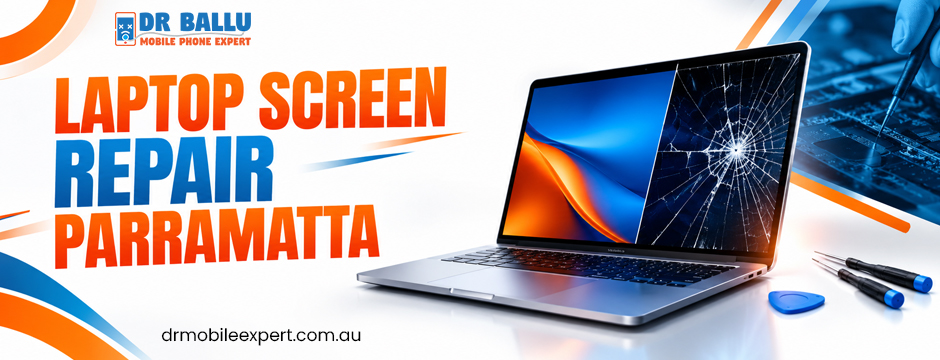
A cracked or flickering display is one of the most visible laptop problems. It can happen after a drop, pressure on the lid, or accidental impact.
Laptop screen repair Parramatta services may involve replacing a damaged panel rather than repairing the existing display. The correct approach depends on the type and extent of damage.
Common warning signs include:
- Cracks or black spots on the screen
- Flickering or intermittent display
- Vertical or horizontal lines
- Unusual colours
- A completely blank screen
- Display problems that change when the lid moves
Before replacing the screen, a technician should check the display cable, connector, graphics system, and panel itself. This helps avoid replacing a screen when another component is responsible.
Protect Your Data Before a Major Repair
Hardware failure can sometimes occur without warning. Therefore, regular backups are one of the simplest ways to reduce the impact of a laptop problem.
Keep important documents, photographs, business files, and study materials in a secure backup location. Cloud storage can be useful for frequently updated files, while an external drive provides another practical option.
If the laptop is still accessible but showing signs of storage failure, back up critical information as soon as possible.
However, avoid repeatedly forcing a failing drive to operate. Continued use can sometimes make data recovery more difficult.
How Virus and Malware Problems Affect Performance
Not every slow laptop has a hardware fault. Malware can consume system resources, interfere with applications, display unwanted advertisements, or create unusual network activity.
A comprehensive security scan can identify malicious software. Removing suspicious programs and keeping security tools updated can reduce future risks.
Furthermore, avoid downloading unknown applications or opening unexpected attachments. Good digital habits are part of maintaining laptop performance.
If malware has caused significant system problems, professional assistance may be appropriate, especially when important files or business information are involved.
Improve Performance With the Right Maintenance
Professional laptop repair Parramatta can address faults, but good maintenance can reduce avoidable problems.
Start with simple habits.
Keep vents unobstructed. Avoid using the laptop on soft surfaces that restrict airflow. Install operating system updates when appropriate, and remove applications you no longer need.
Storage space also matters. A nearly full drive can affect everyday usability, particularly when the system needs temporary space for updates and applications.
Next, pay attention to unusual sounds, excessive heat, repeated error messages, or sudden performance changes. These signs are useful clues for a technician.
When Laptop Screen Repair Parramatta Is the Better Option
A damaged display does not automatically mean the entire laptop needs replacing.
If the processor, motherboard, storage, and other major components remain healthy, replacing the damaged screen may extend the useful life of the device.
This can be particularly practical for business users who already have their applications, files, settings, and accessories configured.
Laptop screen repair Parramatta can also be relevant when only the display panel has failed while the laptop continues to operate normally through an external monitor.
The decision should consider the laptop’s age, overall condition, repair cost, and expected future use.
Choosing a Laptop Repair Service
When comparing repair providers, look beyond price alone. A low initial quote may not tell you what is included.
Ask whether the service includes diagnosis, what parts will be used, how long the repair may take, and whether any warranty applies to the completed work.
Experienced technicians should also explain the problem in understandable language. You should know what has failed, what needs to be repaired, and why the proposed solution makes sense.
A repair warranty can provide additional reassurance. Clear communication is equally important because it helps you make an informed decision about your device.
What to Do When Your Laptop Suddenly Fails
If your laptop stops working, begin with basic checks. Confirm that the charger is connected correctly and inspect it for visible damage. Try a different power outlet if appropriate.
If the device becomes unusually hot, allow it to cool before attempting further use.
For a machine that powers on but behaves abnormally, note the exact symptoms. Does it freeze during startup? Does it display an error? Does the fan become unusually loud? Does the screen remain dark?
These details can help a technician narrow down the cause faster.
Avoid opening the laptop yourself unless you have the appropriate technical knowledge. Modern laptops can contain delicate connectors and compact components that are easy to damage.
Choose a Trusted Laptop Repair Partner in Parramatta
With 10+ years of experience, Dr. Ballu Mobile Phone Expert provides reliable, affordable, and professional laptop repair Parramatta. Our highly qualified technicians focus on accurate diagnosis, efficient repairs, and dependable service. We also value your time, with select repairs completed in as little as 30 minutes. From technical faults to everyday device issues, our team aims to deliver quality workmanship and on-time service, helping you get your laptop back to reliable performance without unnecessary hassle.
Make the Repair Decision With Confidence
Good laptop repair Parramatta is not simply about getting a device working again. It is about finding the cause, choosing an appropriate solution, and protecting the laptop’s useful life.
Some problems can be resolved through software maintenance. Others require component replacement or specialist board-level work. The right solution depends on the actual fault.
In conclusion, act early when your laptop shows persistent performance problems, display faults, overheating, malware symptoms, or unexpected shutdowns. A timely assessment can help prevent a manageable issue from becoming a larger repair.
For professional assistance, Dr. Ballu Mobile Phone Expert offers repair support with experienced technicians, prompt service, diagnostics, and a customer-focused approach. Contact the team to discuss your laptop issue and determine the next practical step.